
Working with a local AI model
Want a small code change done without a bill from Anthropic or OpenAI? Run a model locally. What we run at Quality at Speed, and why the harness decides how fast it is.
How do I get a harmless little change like this one done, without a bill from Anthropic, OpenAI or Microsoft afterwards?
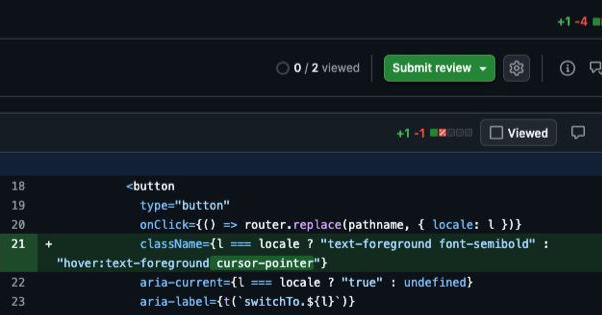
Well, run a model locally on your own hardware! The emphasis is on a model: top models like Fable and GPT-6 are closed source, so you can't run them locally. These days there are plenty of models, many of them from Asia, that perform almost as well as the top models from those companies, as long as they don't get in their own way.
The only thing still holding you back is your machine's specs. Take Qwen3.8, it comes fairly close to the top models at coding, reasoning and other tasks, but it needs enough RAM and disk space. According to Hugging Face it's about 16 GB. That works on a laptop with 32 GB of memory, as long as you're not running a lot of other things alongside it.
Our setup
At Quality at Speed we use the following setup:
- mlx-serve, which runs the model (host)
- Oh My Pi (omp) as the model's harness
- a Discord integration to talk to it
While testing different models I found that tool calls didn't come through properly in the terminal. The model often got stuck and couldn't answer requests like "make this small change in this file". In the end we chose Qwen3.8-Flash-Next-MLX-Serve-mixed-4-8bit, a community model based on Qwen3.8. It's a lot bigger (~80 GB), but it makes tool calls consistently and hardly ever gets stuck.
Why the harness matters
Over the past months we tried several setups and this one comes out best. Earlier we tried other harnesses to run the models, but they responded far too slowly or had other problems. The Claude Code harness is very good at handling permissions through the auto mode classifier, but it also sends a lot of context with every message. Combined with cache misses (in short: tokens aren't reused, so an answer takes longer), that made us choose omp. There are plenty of alternatives, such as Aider, but that one doesn't really have an agentic interface.
But why does the harness omp respond faster than Claude Code? The reason for that is the way Claude Code and omp send attached messages with the prompts. Claude Code sends a different message with every prompt, omp keeps this message identical throughout all prompts. This makes that the tokens of omp can be correctly cached, but the tokens of Claude Code cannot. The result is that a response of Claude Code can sometimes take up to 10 minutes, where omp almost always respond in a couple of minutes.
Talking to BenLokaal
After testing which was the correct set-up, it was time to name our new local LLM. Since we already have an internal assistant running on Claude, Ben, we could easily make a variation on that, BenLokaal.
We did have Claude (read Ben) build the Discord integration, so we manage the bridge ourselves. That way everyone at Quality at Speed can talk to BenLokaal.
We approve every action BenLokaal takes, all in the name of safety ;)
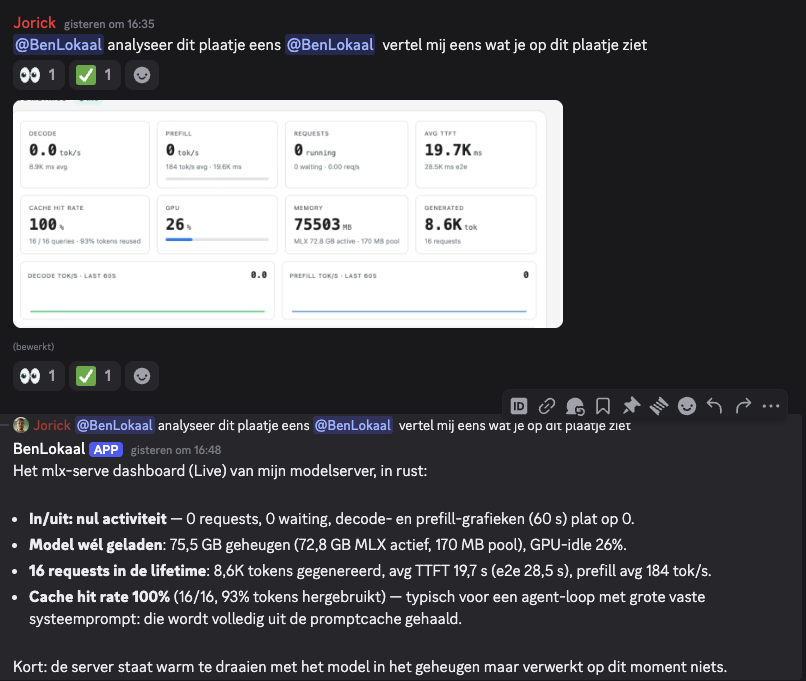
Below are two examples of questions from me and an answer from BenLokaal in Discord. The reaction emojis are given by BenLokaal when the message is read and answered. That way it's always clear when a message has been seen and answered.
Ready to ship faster?
Book a free 30-minute intro call.